Why I Luv Linux… You can do it your way!

Or shouild I say gnome-do it your way. I don’t know about you, but none of the new desktops work the way I do. I either spend to much time clicking,  or to much time perusing to find my programs.

There are things I like about Unity. There are things I like about KDE and Gnome 3. But in the end they still all feel backwards to me and I feel frustrated by the time I get off the computer.  I can no longer change this or that, or move this or that. Enough!

For me, I want simple, and I want to change the desktop layout, and I want to change the title bar color. And yes I like a little bling!

I found a recipe which works for me.  Since I am familiar with the names of the programs in linux, and I know the name of my files, what could be simpler than just hitting super-space and typing the name of what I want, and having it pop up in a list, along with other options.  Beats the heck out of clicking through menus or clicking on short cuts. It saves time. I don’t have to find a browser shortcut and open it, then type in the web address. I can simply hit super-space and start typing the web address and arrow over to open url and boom my browser opens right to the site.

How is this all possible? Just install gnome-do from your repository and configure it. You will have the simplest and most useful tool you ever used on your Linux box. Want to play music? Just hit super-space and then type the artist name and any music you have install by that artist will be listed. Just arrow over to it and hit enter, the soung will start. This is what computing should be!

Combine gnome-do with an xfce desktop, and you have simple and fast. Add compiz and you have some bling along with some useful tools such as scale, or  expo. And if your like me and you want to customize your title bar area, and want a better looking window, install emerald theme manager.

Who needs activities, iconic launch bars, out dated task bars , or lenses or all that other mind twisting interface bars and boxes when you can just gnome-do it!

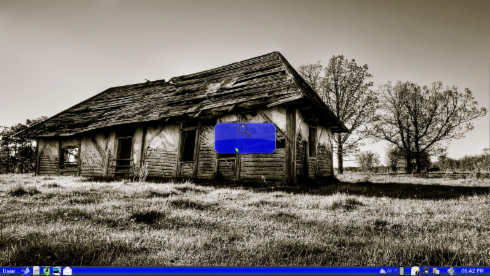
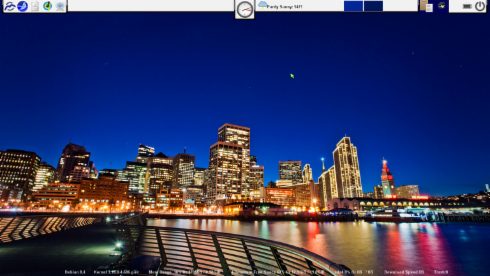
Here are some screen shots!

workspace-1_003.pngworkspace-1_005.pngworkspace-1_004.pngworkspace-1_006.pngworkspace-1_009.png

Dell, Optimus, UEFI, and an average Linux User.

I was excited. My wife wanted me to pick out a new laptop for our 25th wedding anniversary. I wanted a desktop replacement. I happened across what I thought was the perfect laptop. It was a Dell inspiron 17r. It had nvidia graphics, 6 gb memory, and an i5 processor, all for $750.00 (US). What a deal!

It finally showed up. I couldn’t wait to get Ubuntu 11.10 installed on it. I stuffed the cd in the drive and booted to the unity interface. Cool! The full desktop loaded, so I thought! The wireless worked out of the box. Great easy peasy! But wait, the nvidia graphics driver isn’t loaded. So I installed the driver and rebooted. The I waited and waited nothing but black. Oh No! What the heck is wrong?

I googled, and checked Dell’s website. Uh oh, I didn’t know this computer had nvidia optimus on it. I checked the Bios, and nope, no off switch! Well this wouldn’t do! I need 3D graphics! I can’t run Unity, or Gnome 3 without it.

To my shegrin I called Dell and wanted to return the laptop. They informed me, that there would be a restock fee! I asked but what if I was going to buy another laptop from you? They said OK no restock fee if you buy a different one. I set about trying to find a substitute.

I thought I was wiser now, after all that googling. I only have to find a laptop that has an off switch in the bios for the Nvidia Optimus. So after many hours of checking, reading and talking to a Dell rep, I was assured the XPS L702X was what I needed. After all the Dell rep, in writing (via the saved chat log) guaranteed me I could turn off the Optimus in the Bios. I was set.

After a few days of patiently waiting, the machine arrived. I quickly inserted the Ubuntu install USB, selected USB Drive from the boot menu, and waited and waited and waited. It just hung there. This is strange! I tried again same thing! I tried a Ubuntu CD, again it just hung. I went into what I thought was the Bios and looked for an Optimus switch. Nope not there. Huh! This bios is pretty sparse, I think I’ll Google the Name “Pheonix Secure Core Tiano Setup” Ugh! Not again! Is this what I think it is? But that wasn’t supposed to come about until Windows 8! I ran for the phone and got Dell Technical support, I asked, “ How do I turn off Optimus on the XPS L702x? “You can’t” he said. “ who told you you could” he asked? I said “ a Dell rep, I have it in writing!” He said, I don’t know what to tell ya but it’s not possible!” Okay, well let me ask you this, I said. Does this computer have the secure boot loader which only allows the windows which comes on it to be installed? Why yes it does! Wow! I felt my chest sink as I just realized I’d been screwed by Dell, Microsoft, and Nvidia!

What the hell? I know it’s my fault, but man this sucks! Not only did I learn quite a few lessens but I get to pay Dell $111.00 in restock fees for the privilege of them teaching me that 1.Yes, UEFI will screw Linux users, 2. Nvidia is no friend to linux, and 3. Microsoft is once again getting what it wants! 4. Buying a new laptop for Linux use is almost impossible!

And by the way I’d like to know what Linux users are responsible for this http://www.linuxjournal.com/slideshow/readers-choice-2011?page=34 ????

Sincerely,

Randy Fry

An average Linux User!

Best Linux software for Linux Noobs switching from windows!

I have successfully switched my wife from Windows to Linux! It wasn’t easy, but I did it. The biggest problem with Linux for new users is finding simple software with a lot of funcionality. After a few years of using diferent software here are my picks…

Linux Distro …Zorin OS5 with customization!

Zorin comes out of the box with windows converts in mind! Thier look changer makes it simple for windows users to feel more at home in linux! I highly suggest donating to get the premium version if for no other reason than to support the work of this disro.

For pictures …Digikam

Digikam simply turnes your picture folders into albums. It will download and upload to facebook, and it will send pictures via email with thunderbird! Simple editing with alot of functions. Also many other plugins.

For Music …Banchee

Simple interface, can access Amazon and Ubuntu  Music stores.

Scanning          …Simple scan

For scanning pictures and docs.

OCR                 …tesseract-ocr coupled with imagemagick.

Simple OCR that works!

Email      …Thunderbird coupled with Gmail

Many reasons here on my part! If you need a solid based contacts/address book which you can sync between computers and android phones. This is it. Especially using Google mail, address book and calendar you can turn it into a great PIM! They all work flawlessly !  Since Google was the only address book which imported my palm contacts without making a mess, and thunderbird syncs with google so well, it was a match made in heaven for me!

Disc Burning  …Brasero

Simple to use and simply works!

Back up DVDS  …K9 copy!

Internet Browser   …Chromium

Light and fast browser, simple to use!

I.M   …Pigeon

Can converse with all major I.M. appilcatins, simple and plenty of functionality.

These are my base picks for Linux software for windows converts.

Why I love Linux… It can most definatly replace Windows!

Linux can easily replace windows. With the right Distribution and the right software, Linux can be faster, more customizable, and do as much as windows can and more.

Here is an excerp I commented to at

http://www.howtoforge.com/the-perfect-desktop-mepis-11

I have found that most windows users want to be able to simply use a photo manager and upload their pics to facebook, or easily email them. The only easy way in linux I have found, is using digikam for photo management, and thunderbird for pim. Digikam which easily exports to facebook and can access  thunderbird to email pics. Thunderbird with google calendar plugins installed, makes a very nice pim.

As of yet I have had no luck intigrating evolution  and shotwell (very good programs on their own) and evolution always mangles my contacts imported from yahoo, or palm. Google contacts is the only contact manager that hasn’t mangled my contacts on import.

I believe to seduce window users, we need programs which are simple to use and when it comes to photos, easy to manage and send to email and facebook and the like. Digikam is not the most simple, but is fully loaded and meets all other expectations and is fully capable of making a windows user happy.

In my next post  I will give you my picks for software and Linux distro which will make any windows user feel at home in Linux.

Why I love Linux!….Bluetooth it just works!

My brother started using Linux, but he was dismayed to find out Magic Jack doesn’t work with Linux. So on a whim, I bought a $20 bluetooth headset and paired it with my Bluetooth enabled laptop. Surprise! it worked out of the box and I set up Google Voice, and now it works better than magic jack!

Why I love Linux… My brother brought

…me his computer the  other day. It seems that windows was crashing! I re-installed  windows but this time I dual booted it with Zorin os 5. They haven’t used windows since, except for Netflix!

In the beginning…

I bought my first computer in about 1999. I had a small business and everyone told me I should get a computer to help. It wasn’t much help cuz it had windows 98 on it and it kept crashing! I thought ” what help is this when it’s down more than up? What a pain. Anyway, I decided a laptop maybe more useful and since my neighbor had one for sale, I bought it. And guess what? It came with 2 hard drives and one of them had Mandriva Linux on it. I messed with it and thought this works pretty well and it doesn’t crash. But I put it aside cause I needed quick-books and didn’t know much about Linux.Over the next few years I upgraded to XP and it seemed to do better, accept that every time something went wrong and I had to reactivate it, It seemed Like I was on the phone an hour and a half explaining I bought the product key online and had a receipt and wanted my machine reactivated. But it ididn’t end there. After spending all that quality time with Microsoft I then had the pleasure of doing the same with Intuit reactivating Quick-books, then after that more time with scan-soft paperport and you get the idea. What a pain.Well no more of that!  Less aggravation and more productivity …That’s why I love Linux!!!

Our Purpose…

I started this blog hoping that writing about my experience with Linux as an average user may help Linux newbies in their transition. I’m hoping to keep this more centered on usage and capabilities rather then delving into the technical aspects. And since by no means, am I a Linux guru, most of that help will have to be found else ware.

With Great Appreciation…

…I dedicate this blog to Mr. Torvalds, and all the other Linux Developers from every distribution, application project and every desktop project who make Linux one of the most powerful and customizable operating sytems in the world!  Thank You! ( If you agree, please donate to your favorite Linux distribution. You can get the details from their websites)